What is Mockd?
Mockd is a free REST API that can be used to generate test data. You don't need to create an account or obtain an API key. You can start using the Mockd REST API right away!
Example
- Curl
- Postman
- JS
Use command prompt or terminal to run the following:
curl
curl -H "Content-Type: application/json" -d '{"fields": {"firstName":"male-first-name"}}' https://api.mockd.info/
You should get back a response that looks something like this:
curl response
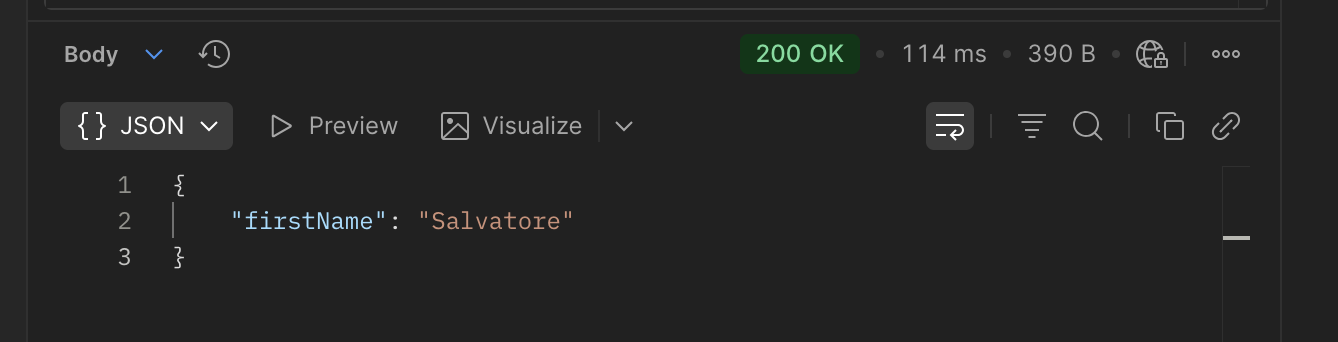
{"firstName":"vince"}
1. Create a new HTTP request in Postman
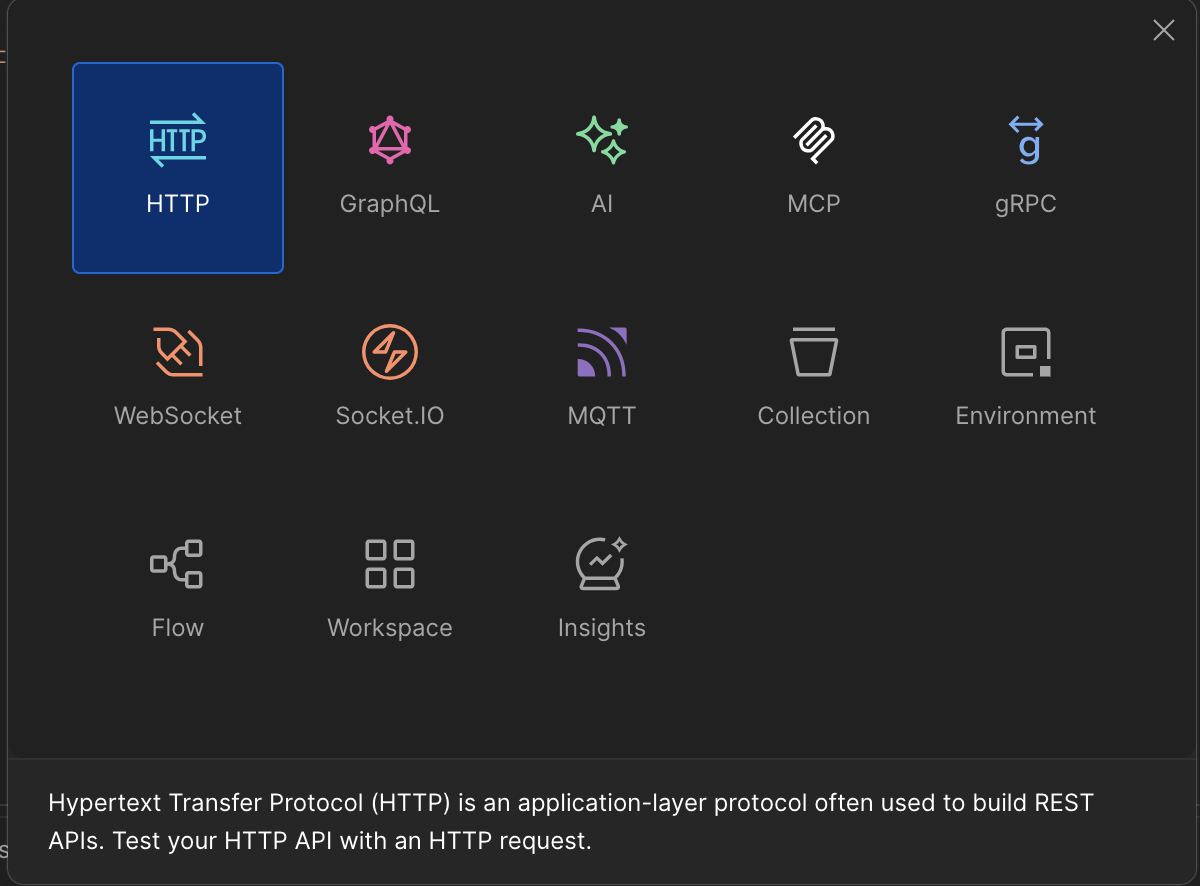
2. Change method from GET to POST and enter the mockd API URL.
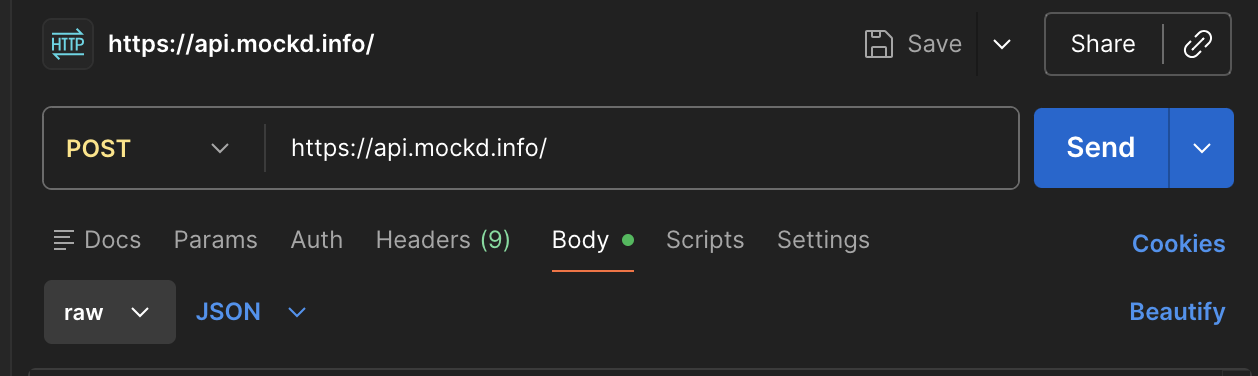
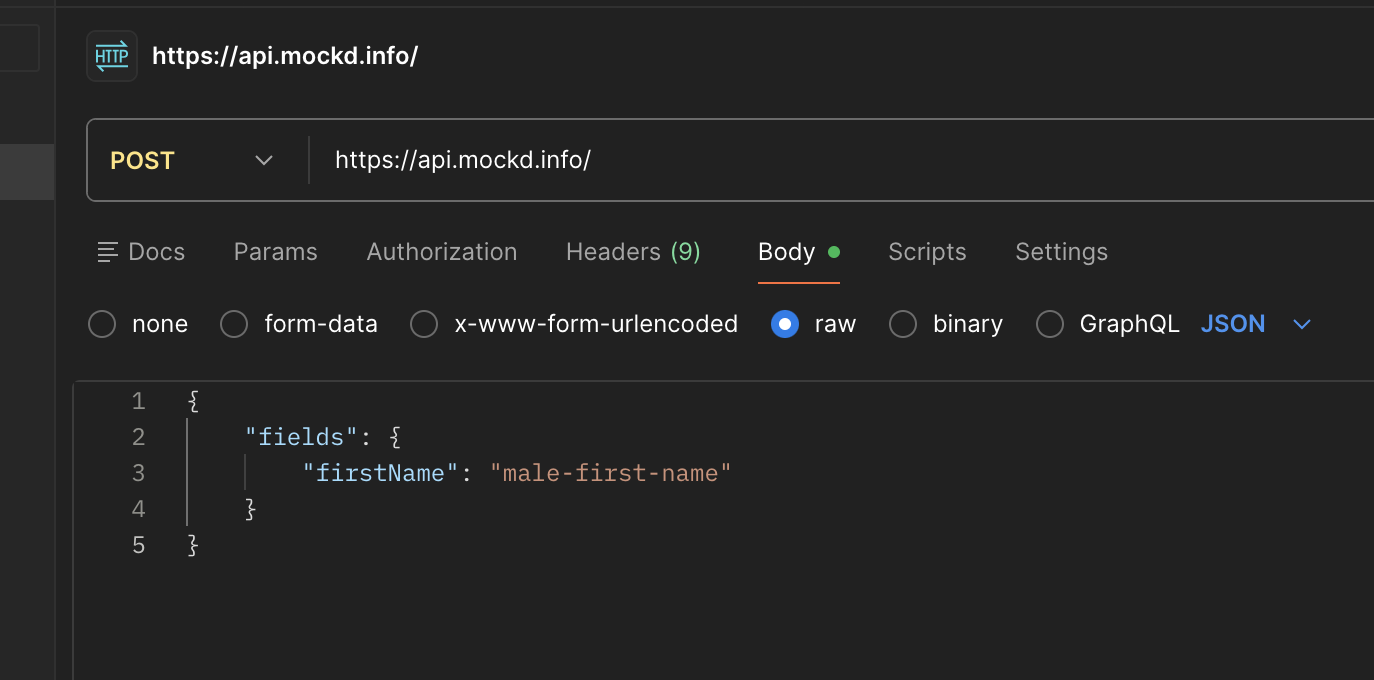
3. Enter the example JSON payload.
Example Payload
{
    "fields": {
        "firstName": "male-first-name"
    }
}
4. Click "Send" and review the results.
JavaScript Code
fetch("https://api.mockd.info/", {
    method: "POST",
    body: JSON.stringify({ fields: {firstName: "male-first-name"}}),
    headers: { "Content-Type": "application/json" },
}).then((mockdResponse) => {
    if (!mockdResponse.ok) {
        throw new Error(`HTTP error status: ${mockdResponse.status}`);
    }
    return mockdResponse.json();
}).then((data) => {
    console.log("Mockd Response: " + JSON.stringify(data));
}).catch((error) => {
    console.error("Error calling Mockd API: " + error);
});
You should see something similar to the following in your console output.
Console Output
Mockd Response: {"firstName":"Leo"}
What just happened?
Mockd processed a request to generate a pseudo-random value for a custom JSON field called "firstName" with a type of "male-first-name".
The "name" field can be whatever you want displayed in the response payload. The type should match one of the supported system types found within this site's documentation.